Below steps describe the configurations required to perform scale out for compute and ceph nodes in an existing OpenStack deployment.
Environment:
Platform: Red Hat OpenStack 10
Compute: SRIOV nodes
Scale out: One SRIOV Compute node , and 3 Additional Ceph Nodes (the scale out nodes will have a new hardware profile, and hence a new role is assigned to each)
For composable roles, we need to have roles defined for each role in the roles_data file:
file: overcloud-roles_data.yaml
Role data for new SRIOV compute node:

Role data for the existing and new Ceph nodes:
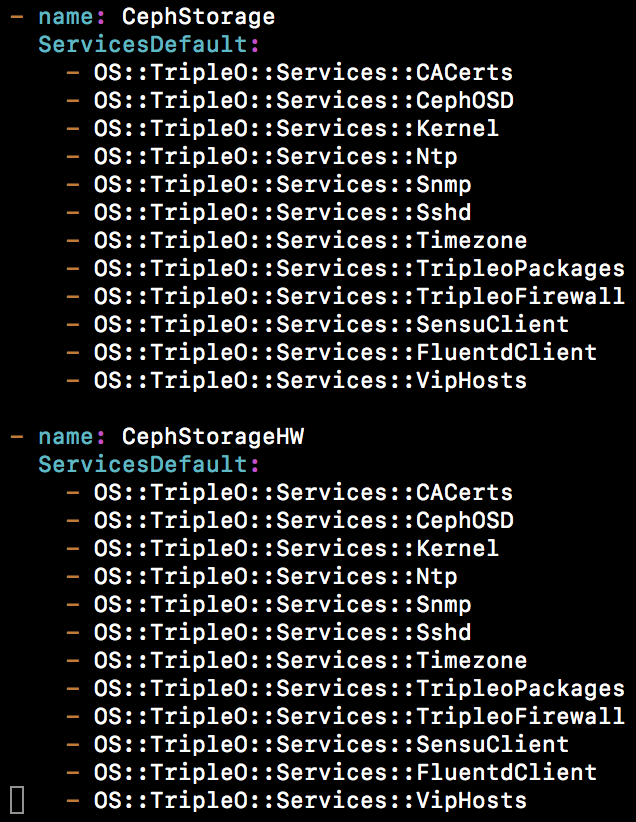
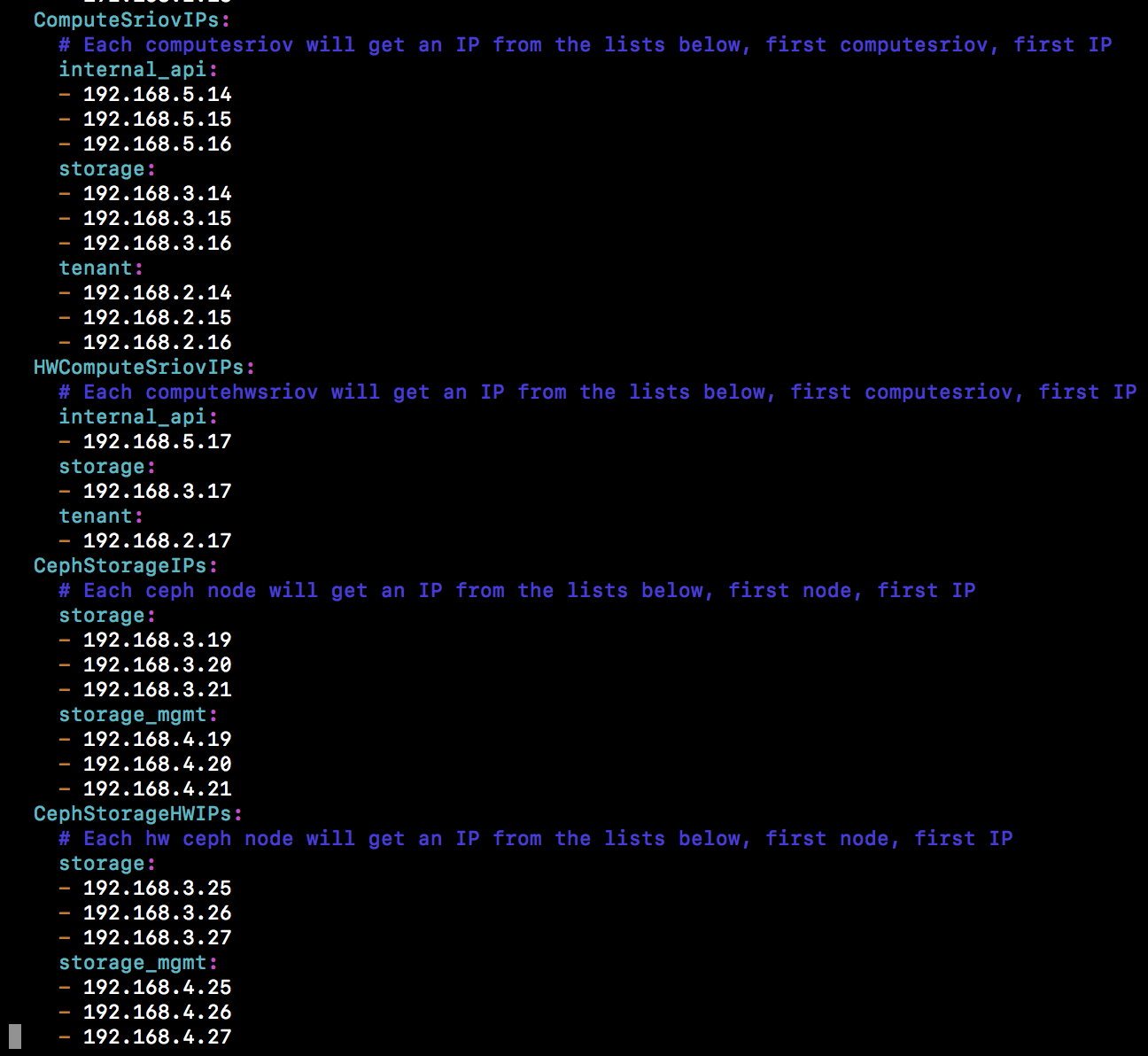
Additional IP’s of the new nodes into IP from all pools file:
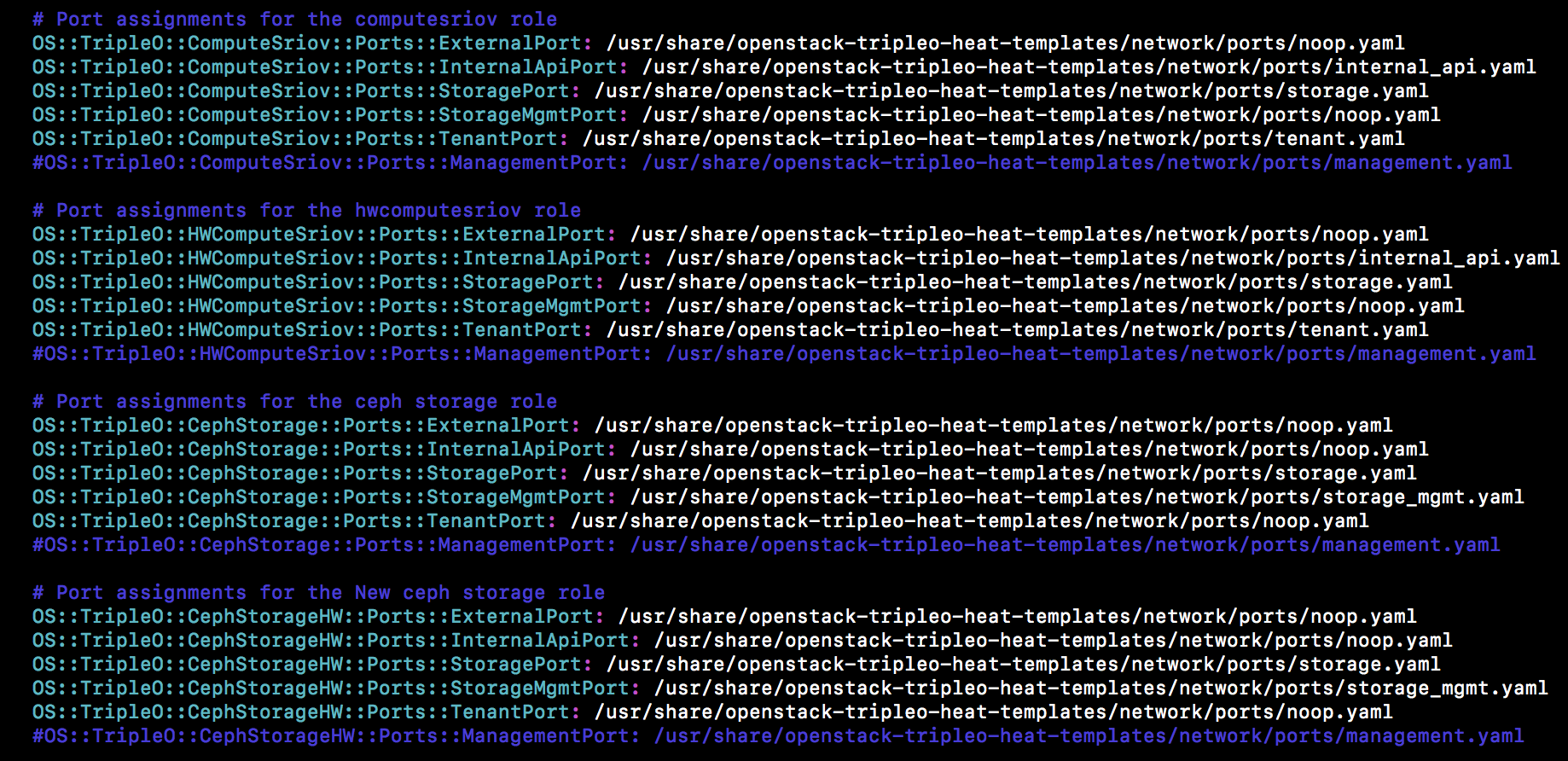
Entries for network isolation file:
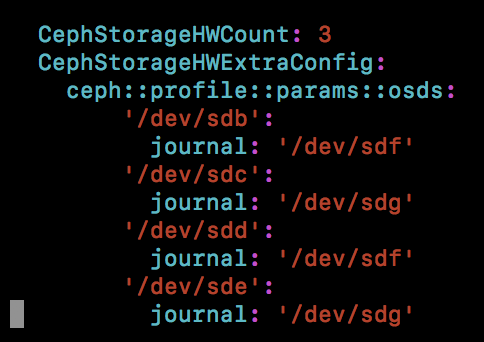
Storage environment yaml should be updated with the new ceph node under extra configs of the respective role:
As the hardware profile of the new SRIOV nodes are different, the required entries need to be updated in the Network environment file under the new nodes extra config section:

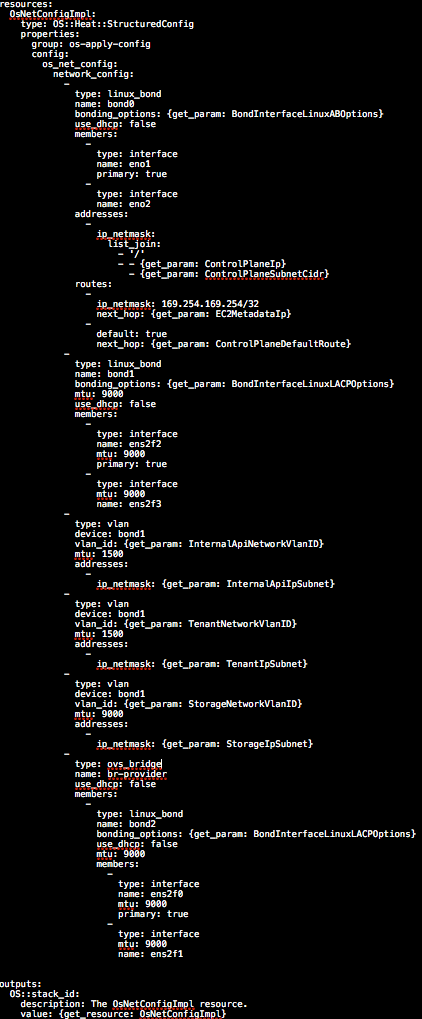
As the new computes and ceph nodes are with new hardware profile, each of the nodes are required to be updated with a new nic-configs:
Compute nic-config used in this deployment:
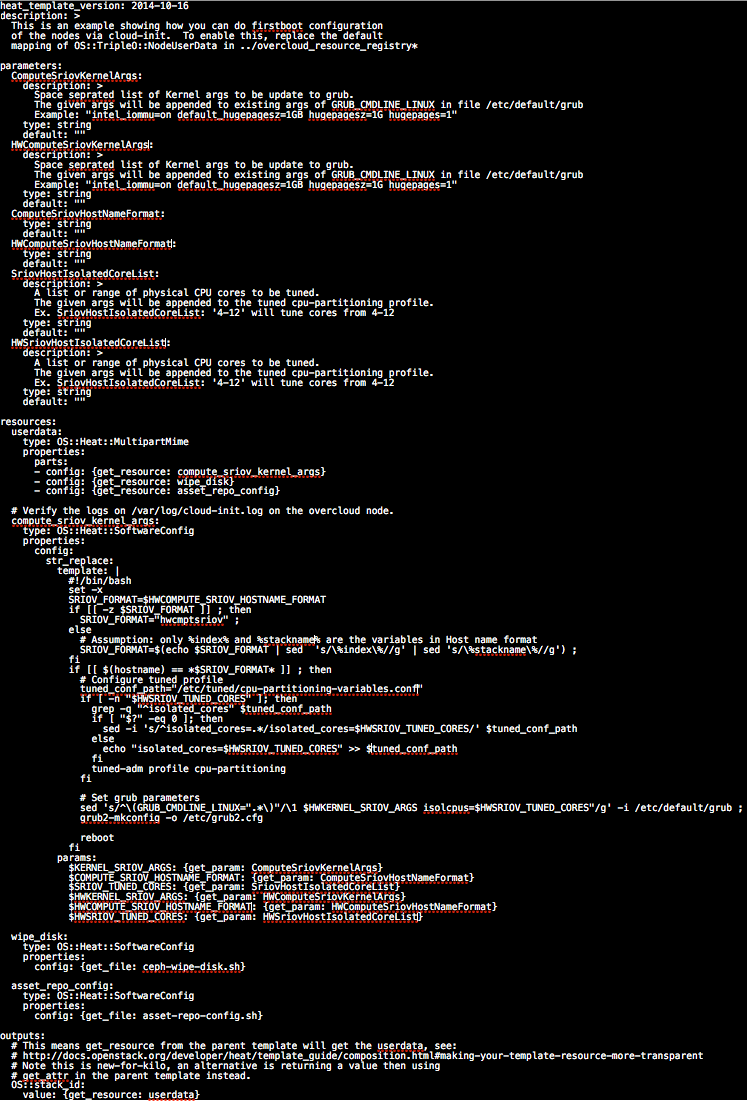
As the SRIOV nodes require CPU core isolation and huge page setup, first boot configuration file needs to be updated with new node details:
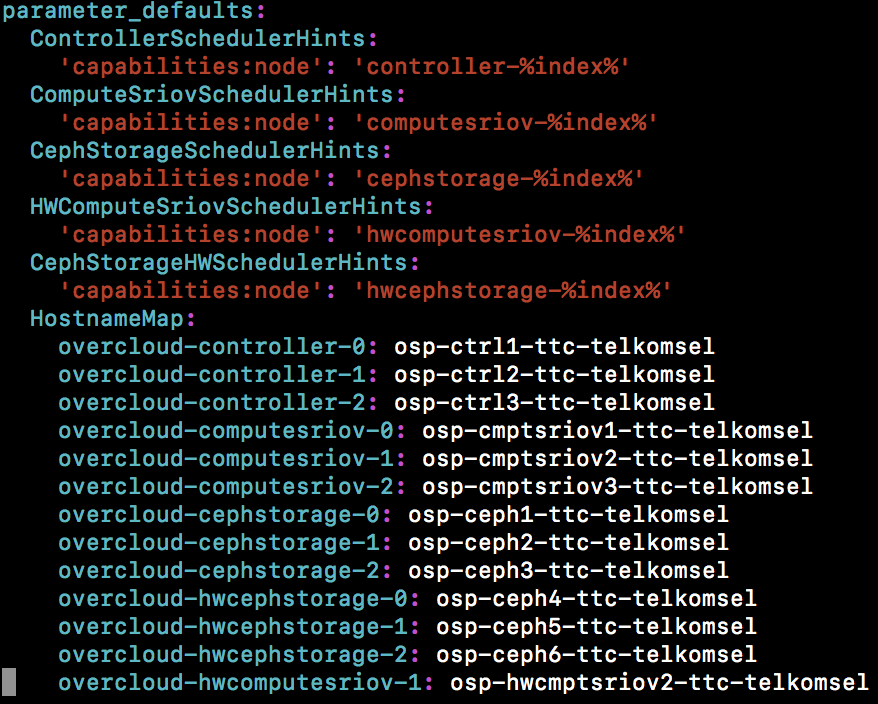
add the new nodes in to scheduler hints for predictive hostname and profile assignments:
The hostnames and profile can be assigned to the nodes while importing the nodes using instackenv.json
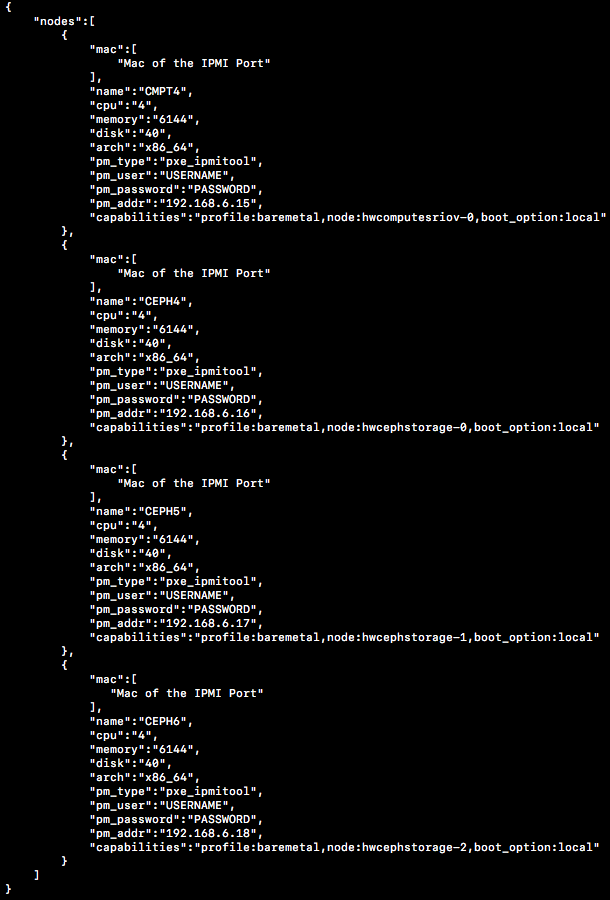
Once imported, you can good to update the overcloud.
**Note:
During the overcloud update, if the process is aborted manually or with the timeout settings, observed that the heat resource of the new roles are stuck in error state. If try to re-deploy with the same role names, the update does not go through. As a work around if you change the role names of the new nodes, update all the template files with new role and redeploy, this will start a new heat resource and deployment completes as expected. Once update is successful, all the resource in error state are cleaned from undercloud.